How the search index works
DockDuck keeps its own list of the names of your files so search answers as you type. What it covers, how it stays current, and the Search settings.
On this page 5 sections
Since version 1.1.8, DockDuck keeps its own index: a list of the names, sizes and modification dates of the files on your Mac. A search reads that list instead of asking the disk, which is why results appear while you type.
What the index covers
The index starts from these places:
- Your home folder
- iCloud Drive, and the folders of cloud apps that macOS keeps in your Library (such as Dropbox or Google Drive)
- Applications and the system’s own apps, so you can find an app by its name
- External drives connected to this Mac, while they are connected
Network shares aren’t indexed. A search inside a share reads its folders when you search.
What it leaves out
By default the index skips what people rarely look for by name and what takes up most of a disk:
| Left out | Examples |
|---|---|
| The Library folder at the top of your home folder | Settings and caches of apps |
| What is inside hidden folders | Folders whose names start with a dot |
| What is inside apps and other packages | .app, .photoslibrary, .pages, .xcodeproj |
| Folders that tools build | node_modules, DerivedData, Pods, __pycache__ |
| Build folders inside code projects | build, dist, target or vendor next to a project file such as package.json |
| Folders that are only in the cloud | Reading them would download them |
The folders themselves are still found by name. Only what is inside them is left out.
What the index answers, and what Spotlight answers
The index holds names, sizes and modification dates. A few things only Spotlight, the index macOS keeps, knows about. DockDuck asks Spotlight for those:
| You search by | Answered by |
|---|---|
| Name, extension, kind, size, modification date | DockDuck’s index |
Text inside files (Search inside files, contents:) | Name matches from the index first, then Spotlight adds files whose text matches |
Tags, author, creation date (tag:, author:, created:) | Spotlight |
| A folder outside the index | DockDuck reads that folder when you search |
| A server (FTP, SFTP) | DockDuck reads the server’s folders, by name only |
How it stays current
- While DockDuck is open, it follows the changes macOS reports and updates the index within moments of a file being added, renamed or deleted.
- When you quit, the index is saved. At the next launch DockDuck reads the changes macOS logged while it was closed, then checks the index against the disk in the background.
- When a drive is connected or ejected, only that drive’s part of the index is added or removed.
The first time, DockDuck builds the index after the welcome steps. A search started during that first build waits for it.
The Search settings
Open Settings and choose Search.
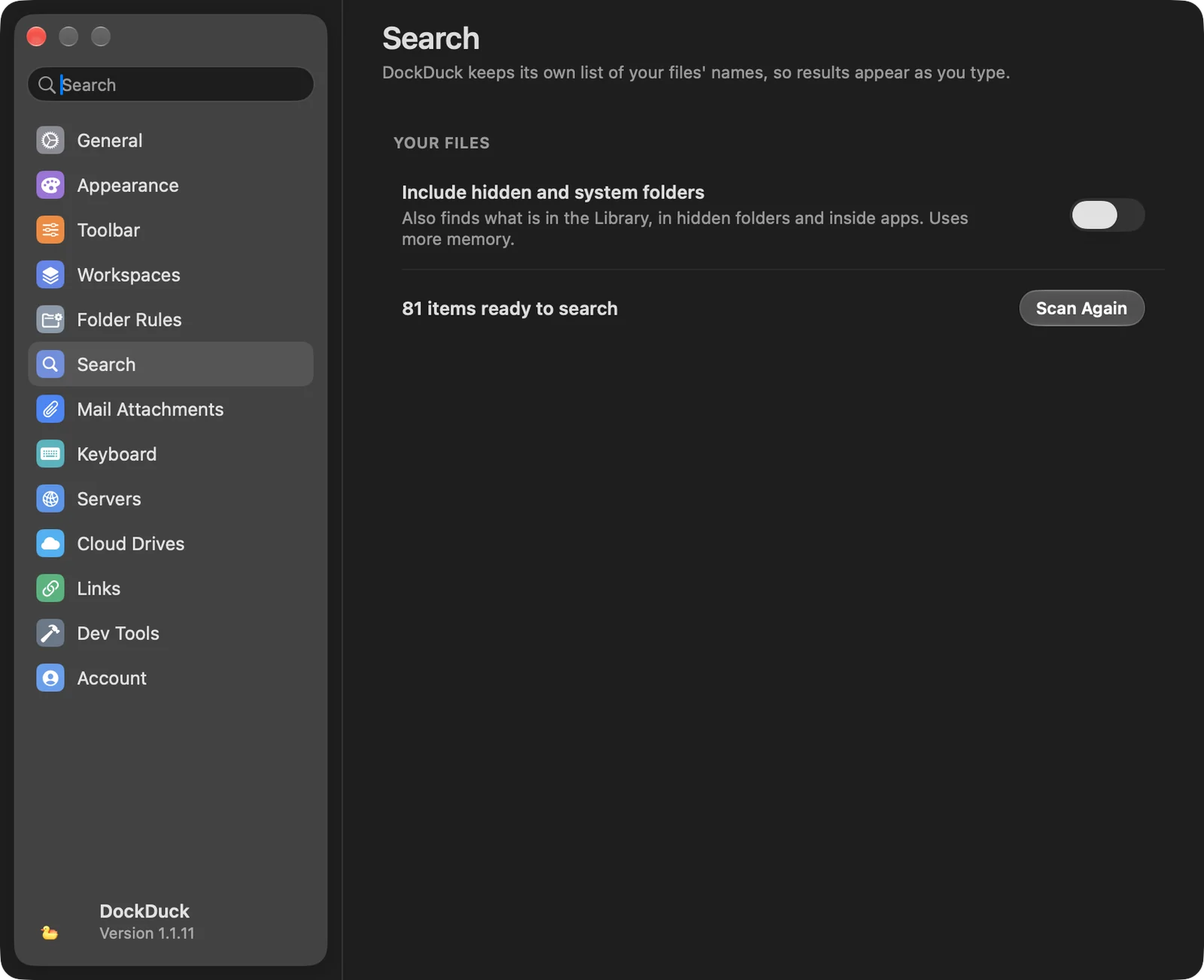
| Setting | What it does |
|---|---|
| Include hidden and system folders | Also indexes what is in the Library, in hidden folders and inside apps. The index uses more memory. Changing it builds the index again. |
| N items ready to search | How many items the index holds. It reads Getting ready… while the index is being built. |
| Scan Again | Throws the index away and builds it again from the disk. |
Where to go next
Thanks, that helps us improve this page.