 DockDuck
 Documentation
What is DockDuck
A native macOS file manager built entirely with Apple frameworks: fast, beautiful, and designed to feel like it shipped with the system.
What it is. DockDuck is a native file manager for macOS, a place to browse, organize, preview, and move your files. It is written entirely with Apple’s own frameworks (SwiftUI and AppKit), so it looks and behaves like part of the system rather than a web page in a window. When to use it. Reach for DockDuck whenever you’d open Finder but want more room to work: dual panes, real remote servers, batch tools, and a dashboard that puts your drives and recent files one click away.
The idea
DockDuck answers a simple question: what if Apple redesigned Finder today? Every interaction aims to be the one you already expected, and every surface uses the system’s own materials, colors, and typography. There’s no custom skin to learn: if you know macOS, you already know DockDuck.
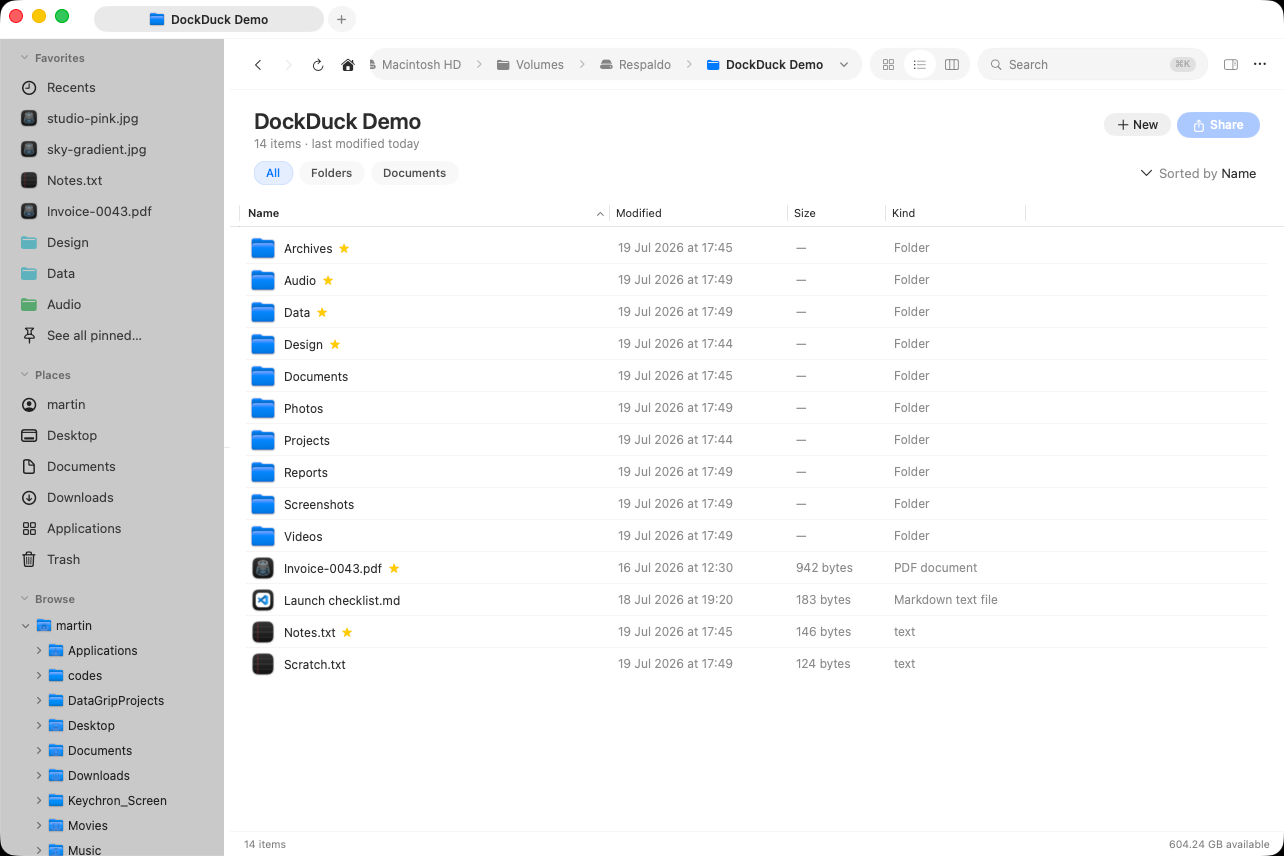
DockDuck is a standalone app. It doesn’t replace Finder or change how macOS manages your files; it sits alongside Finder and reads the same disk.
What makes it different
- Native, not Electron. Built with SwiftUI and AppKit using Apple frameworks only: no browser engine, no third-party runtimes.
- No spinners. Folder listings and icons render on the first frame from cached values. Richer thumbnails and fresher metadata fill in afterward, so the view is usable immediately.
- Dual-pane browsing. Work in two panes side by side, drag between them, and compare two folders at a glance.
- Remote servers built in. Connect to SFTP, SMB, WebDAV, and FTP servers natively, with no separate client to install. See remote servers.
- Power tools. Compress and extract archives, batch-rename with a live preview, stash files on the Shelf, and save live searches as Smart Folders.
- Your files stay yours. DockDuck reads files locally to show and organize them. Nothing is uploaded to a DockDuck server.
Who it’s for
- People who live in their file manager and want more than Finder gives them: two panes, a real transfer manager, and keyboard-first navigation.
- Developers and power users who move files between local disks and remote servers and want one tool for both.
- Anyone who wants a file manager that looks and feels like a first-class macOS app, in both light and dark mode.
The philosophy
DockDuck follows the system everywhere it can. It uses SF Symbols for icons, system colors for paint, and system blur for materials. It respects your appearance choice (light, dark, increased contrast, accent color) and never forces a look of its own. Motion is used to track state changes you care about, not for decoration.
Where to go next
- Install DockDuck: requirements and how to set it up.
- First launch: onboarding, your trial, and permissions.
- The interface: a quick tour of the window.
- Keyboard shortcuts: the keys that drive everything.