 DockDuck
 Documentation
Query syntax
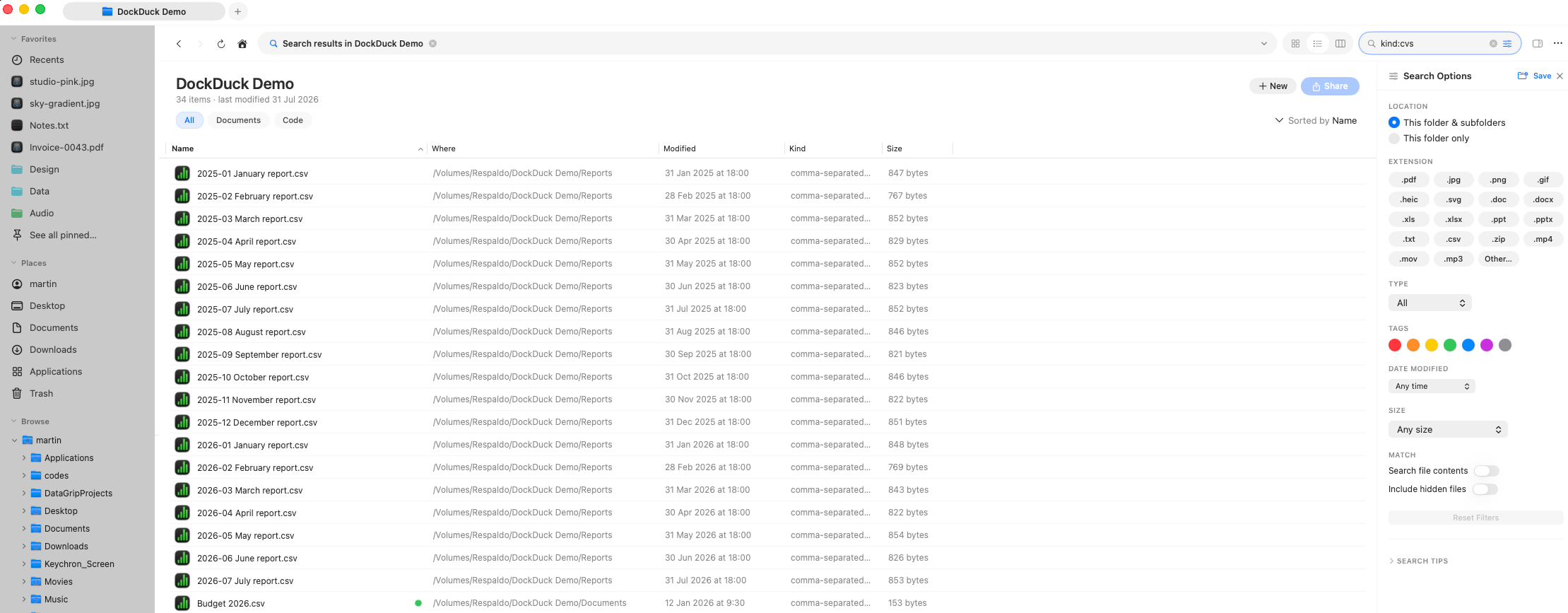
Type Windows-style Advanced Query Syntax straight into the search field: wildcards, boolean operators, and key:value filters for extension, kind, size, date, contents, author, and tags.
What it is. DockDuck’s search field understands a Windows-style Advanced Query Syntax, the same expressions you’d type into Windows Explorer. When to use it. When pointing at chips in the options panel is slower than just typing what you want. Plain words still work exactly as before: anything the parser doesn’t recognize falls back to a case- and diacritic-insensitive match on the file name.
How a query is read
A query is split into tokens on spaces. Quoted text stays together as one token. Tokens are combined with these rules:
- Tokens are ANDed together by default; every one must match.
OR(uppercase) splits the query into alternatives.-before a token, orNOTbefore it, excludes matches.
So cats OR dogs matches either word, while budget -draft matches budget but
not draft.
OR, AND, and NOT must be uppercase to act as operators; lowercase
or/and/not are treated as ordinary search words.
Operators & tokens
Every token below is implemented by DockDuck’s query parser.
| Token | Meaning | Example |
|---|---|---|
* | Wildcard: matches any run of characters in the name | *.jpg |
? | Matches exactly one character | report? |
"…" | Exact phrase: keeps spaces together as one term | "quarterly report" |
OR | Either side matches (must be uppercase) | cats OR dogs |
AND | Both must match (implicit; may be written explicitly) | invoice AND 2024 |
NOT | Exclude the next term | budget NOT draft |
-term | Exclude a term (shorthand for NOT) | budget -draft |
name: | Match the file name only | name:invoice |
ext: / extension: / type: | Match by extension | ext:pdf |
kind: | Match by category (see kinds below) | kind:image |
size: | Match by size: comparator, range, or bucket | size:>10mb |
date: / modified: / datemodified: | Match by modification date | date:thisweek |
created: / datecreated: | Match by creation date | created:>2024-01-01 |
contents: / content: | Match the file’s indexed text | contents:invoice |
author: / authors: | Match the document author | author:jane |
tag: / tags: | Match a Finder tag name | tag:red |
A key:value token only acts as a filter when the key is one of those above
and the value isn’t empty. An unrecognized key (a URL, or a time like
10:30) is treated as plain search text instead, so it never breaks the query.
Kinds
kind: accepts these categories (plurals and common synonyms work too):
kind: value | Matches |
|---|---|
image (picture, photo) | Images |
audio (music, song, sound) | Audio |
video (movie) | Video |
pdf | PDF documents |
folder | Folders |
app (application, program) | Applications |
archive (zip, compressed) | Archives |
text (txt) | Plain text |
code (source) | Source code |
document (doc, docs) | Documents |
Size
size: accepts three forms. A bare number with no comparator defaults to
greater-than-or-equal.
- Comparators:
>,<,>=,<=,=, e.g.size:>10mb,size:<=500kb. - Range:
low..high, e.g.size:1mb..10mb. - Named buckets:
empty,tiny,small,medium,large,huge,gigantic, e.g.size:large.
Numbers take an optional unit suffix: b, kb/k, mb/m, gb/g, tb/t
(no suffix means bytes).
Dates
date: (and created:) accept relative keywords, ranges, or explicit dates.
A bare date with no comparator defaults to on-or-after.
- Relative:
today,yesterday,thisweek(orweek),lastweek,thismonth(ormonth),lastmonth,thisyear(oryear),lastyear. - Comparators:
>,<,>=,<=,=with an explicit date, e.g.modified:>2024-01-01. - Range:
from..to, e.g.date:2024-01-01..2024-03-31.
Explicit dates parse in yyyy-MM-dd, MM/dd/yyyy, dd/MM/yyyy, or yyyy/MM/dd
format.
Worked examples
| Query | Finds |
|---|---|
*.png kind:image size:>1mb | PNG images larger than 1 MB |
invoice -draft date:thismonth | Files named invoice, excluding draft, modified this month |
"final report" OR "draft report" | Either exact phrase |
ext:pdf author:jane | PDFs authored by Jane |
kind:video size:large modified:>2024-01-01 | Large videos modified since the start of 2024 |
contents:roadmap tag:red | Files whose text contains roadmap and that carry the red tag |
Content matching (contents: and the contents half of a plain term) only finds
text Spotlight has indexed. If contents searching seems to miss a file, confirm
Search file contents is on in search scopes and that
the file’s volume is indexed.
Where to go next
- Search basics: running searches, highlighting, pagination, and the Where column.
- Search scopes & options: the panel equivalents of these tokens.
- Smart folders: save a query and re-run it live from the sidebar.