 DockDuck
 Documentation
Batch rename
Rename many files at once with four rule-based modes (Find & Replace, Add Text, Numbering, and Case) with a live before/after preview and a single undo step.
What it is. A sheet that renames a whole selection by rule, with a live preview of every result before you commit. When to use it. Tidying a folder of camera exports, normalizing inconsistent names, or numbering a sequence: any time renaming one file at a time would be tedious.
Opening the sheet
Select two or more items and choose Rename from the context menu. A single item gets the inline rename instead; a multi-item selection routes to the batch sheet automatically.
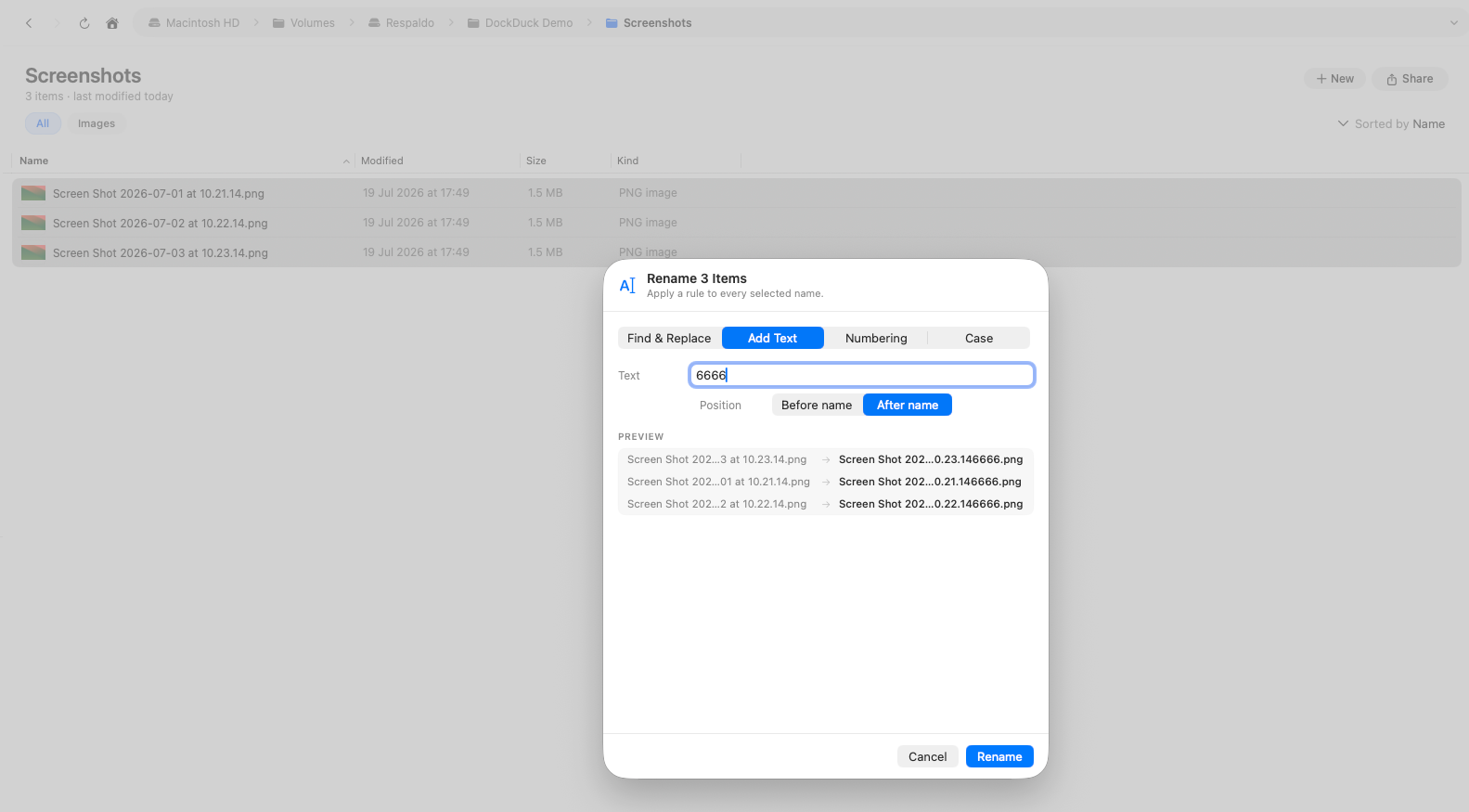
The four modes
Each mode is a single rule applied to every selected file. For Add Text,
Numbering, and Case, the file extension is preserved (your changes land on the
name, not the .txt) while Find & Replace operates on the whole name so you can
fix extensions too.
| Mode | What it does |
|---|---|
| Find & Replace | Replaces every occurrence of the text you type with new text |
| Add Text | Inserts text before or after the existing name |
| Numbering | Appends a running number (with an optional base name and zero-padding), before or after the name |
| Case | Recases the name: lowercase, UPPERCASE, Title Case, or Capitalize |
With Numbering, set the start number and padding (for example, 01, 02,
03) so files sort correctly in any app afterward.
Live preview
As you adjust the rule, the sheet shows the current name and the proposed new name for every file, side by side. It also flags any collisions, two files that would end up with the same name, so you can fix the rule before applying it. Files whose name wouldn’t change are left untouched.
One undo step
Click Rename to apply. The entire batch is grouped as a single undo step, so one ⌘Z restores every original name at once. You never have to undo file by file.
Batch rename has no default keyboard shortcut. It’s reached through the Rename context-menu action on a multi-item selection. You can assign a shortcut in Settings if you rename in bulk often.
Where to go next
- Selecting & opening: build the selection to rename.
- Copy, move & trash: more file operations, all undoable.
- Keyboard shortcuts: assign and rebind shortcuts.