Files too big for an email are a common headache. Here is the whole process in DockDuck, from picking the file to seeing that it arrived.
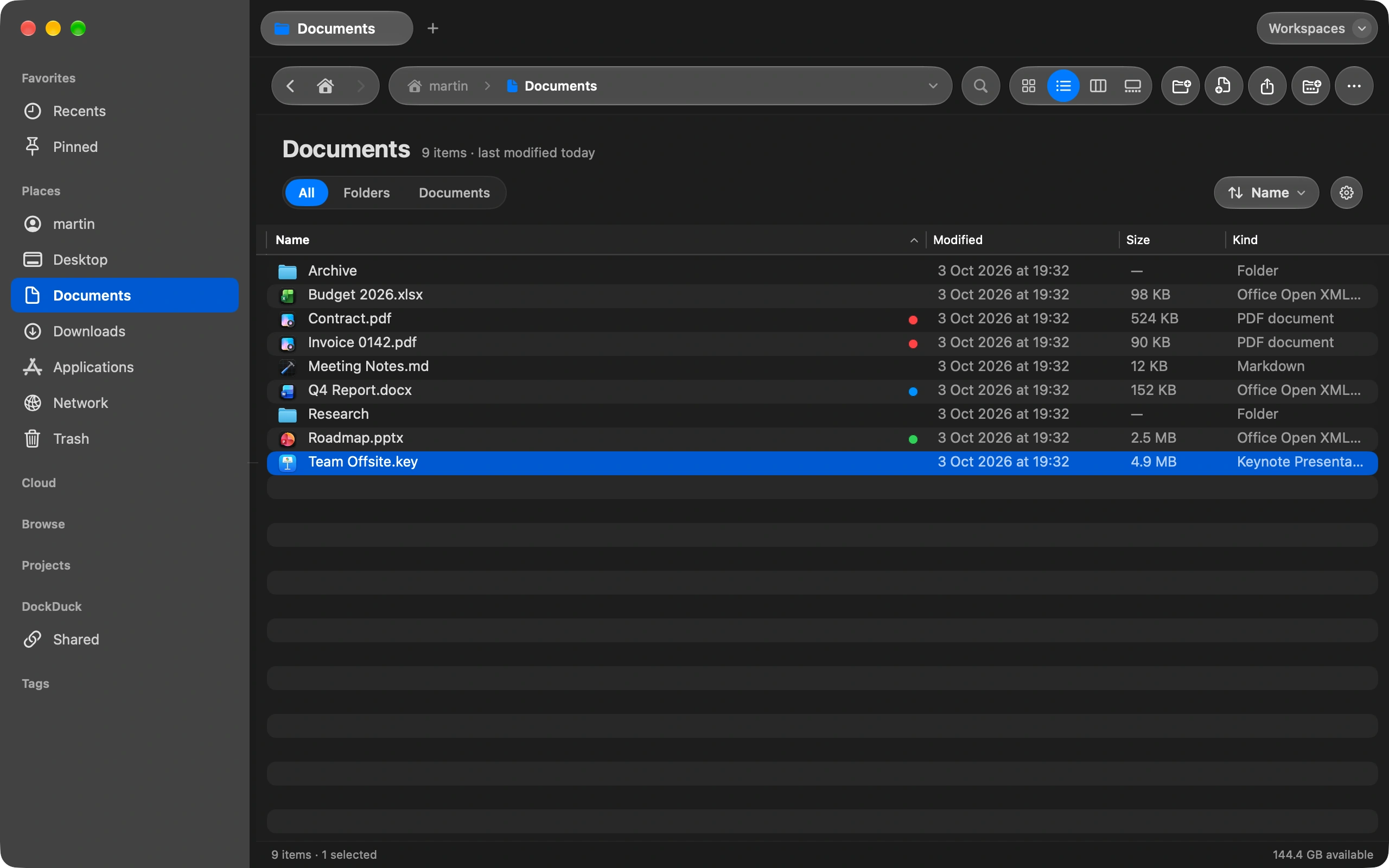
Select the file
Any file up to 2 GB. Several files, or a folder, travel as one zip.
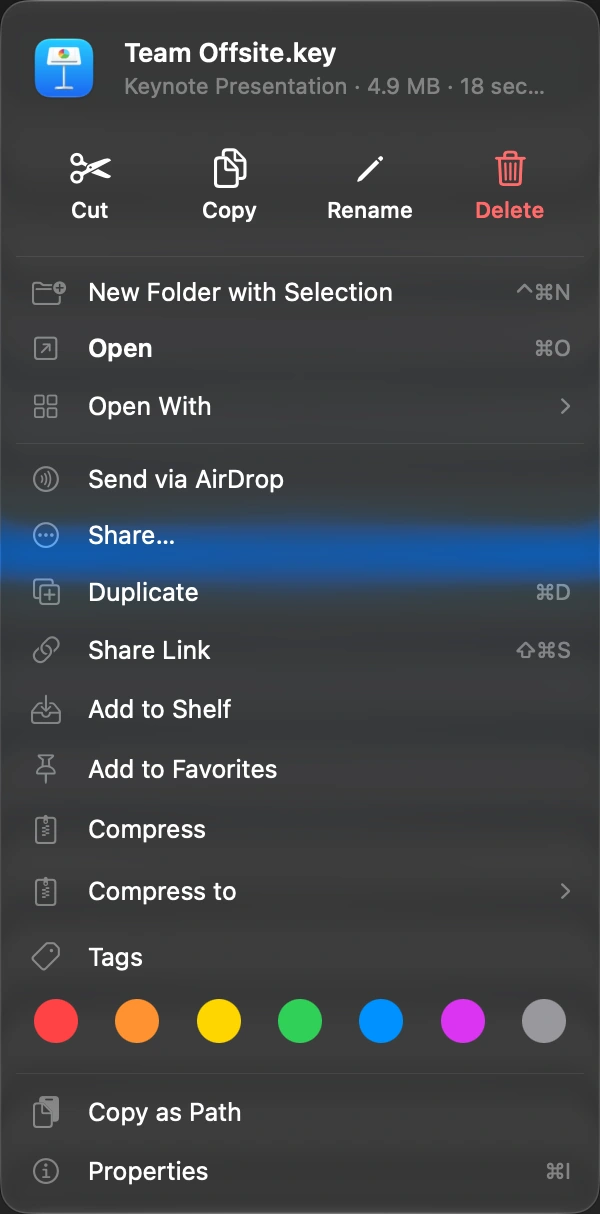
Choose Share Link
Right-click the file, or press the shortcut. ⇧⌘S
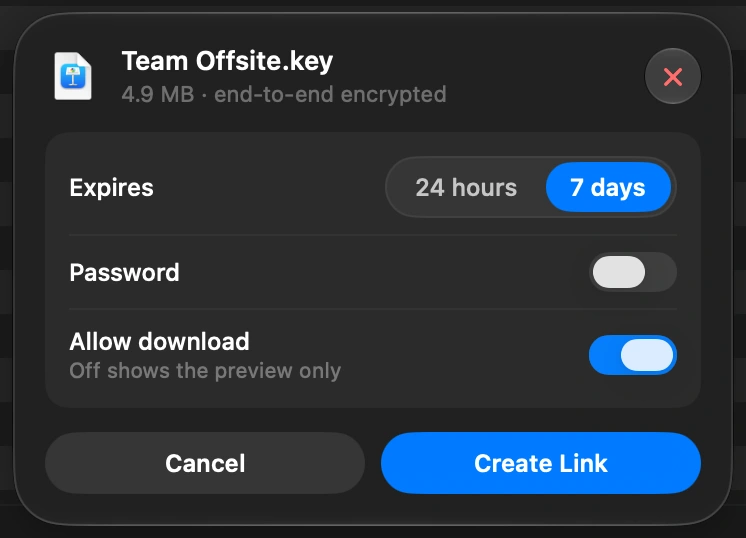
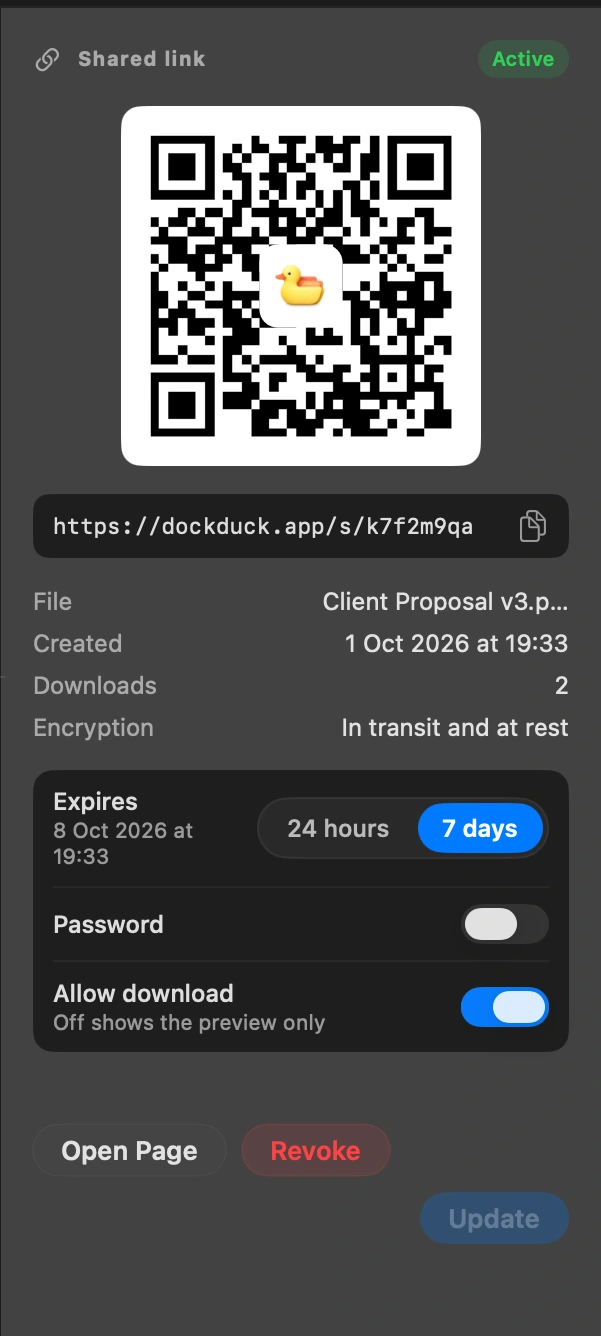
Decide how the link behaves
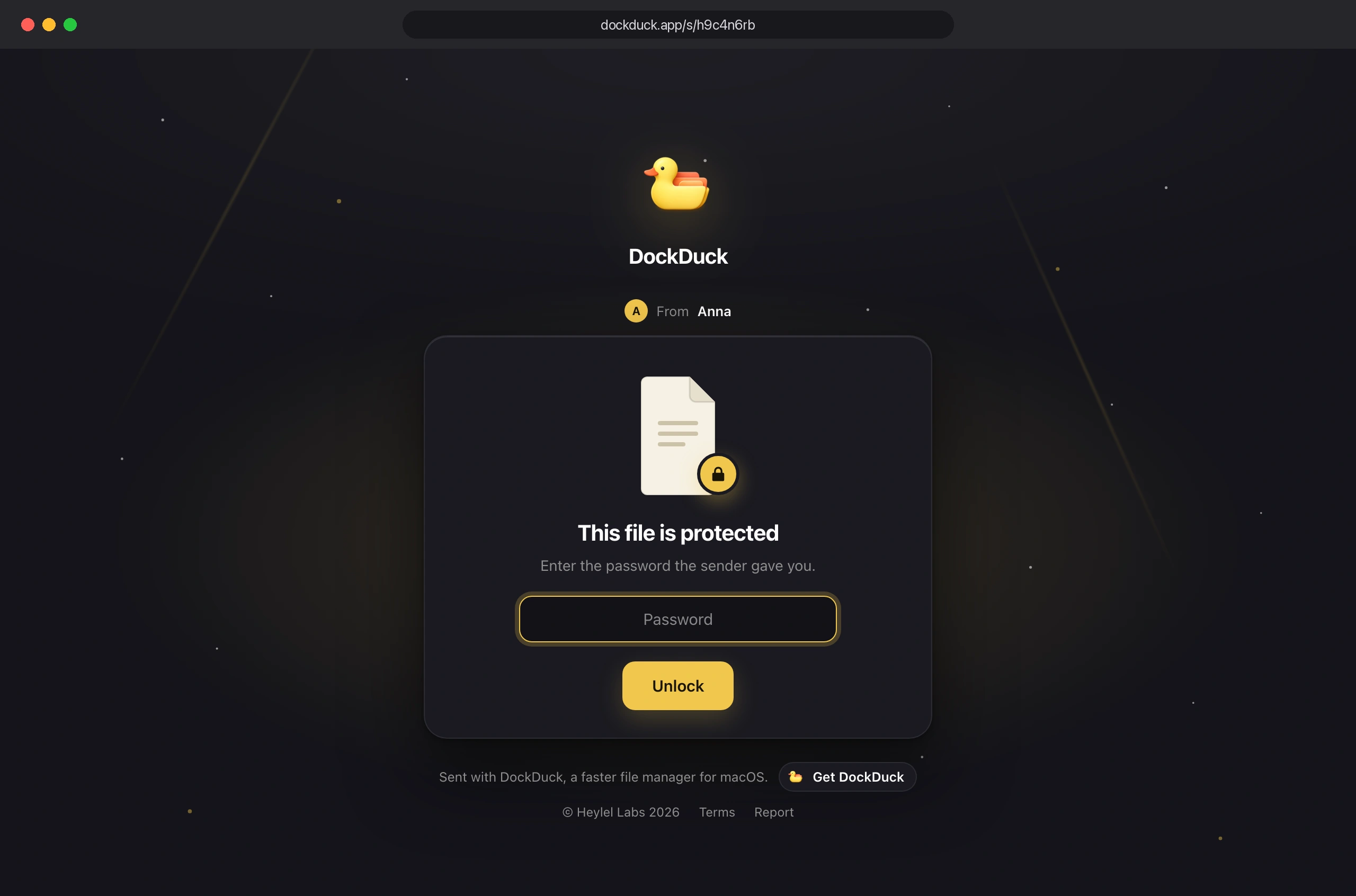
It can last 24 hours or 7 days, ask for a password, show your name to whoever opens it, and allow the download or only a preview.
Send the link
It is already on your clipboard. Paste it in a message or an email. The QR code opens the same page on a phone.

See who downloaded it
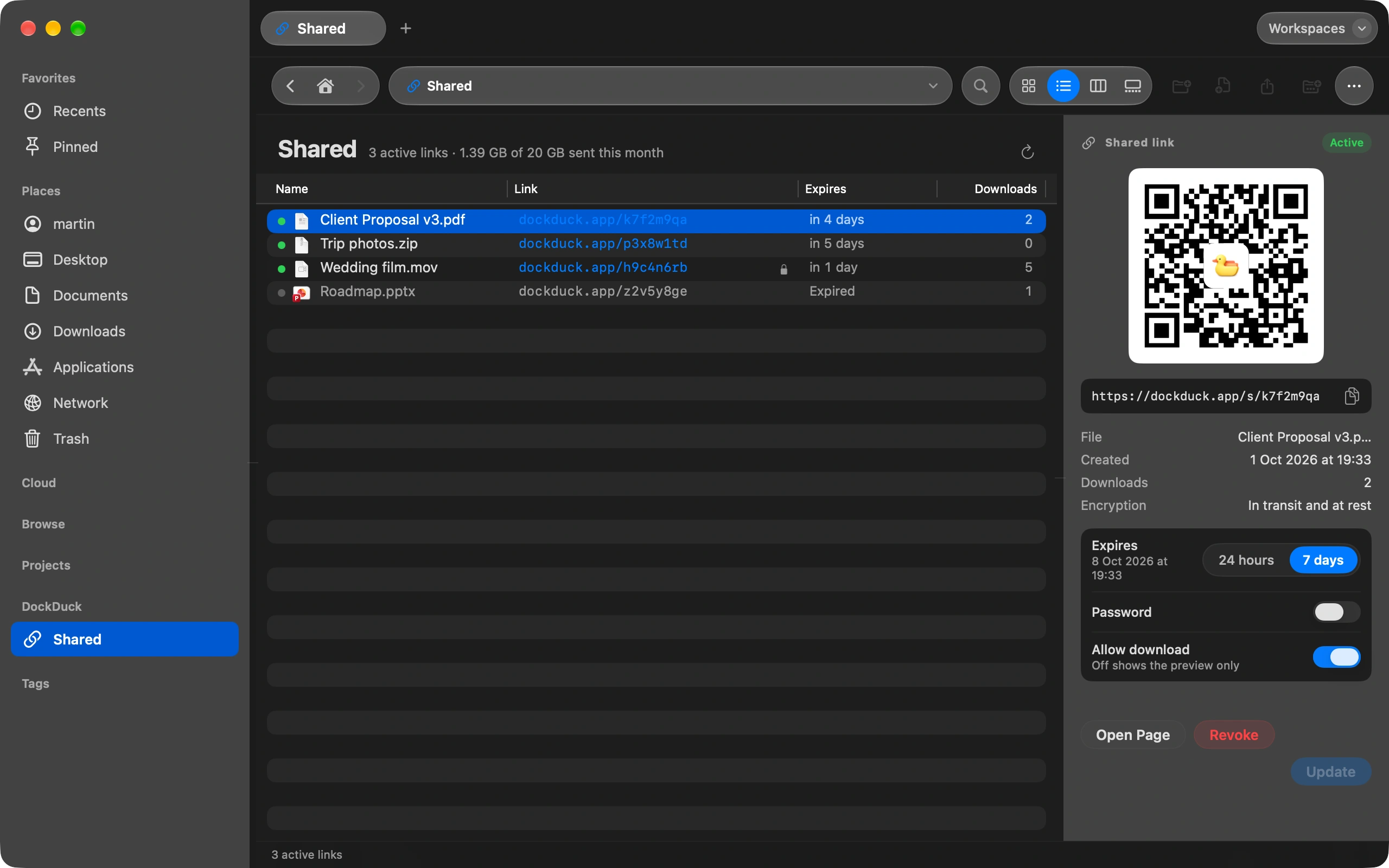
The Shared page in the sidebar lists every link, how many times it was opened, and lets you revoke it. Revoked links stop working at once.
Good to know
- A link holds up to 2 GB.
- The file is encrypted on your Mac before it leaves. Nobody else can read it, not even us.
- Sending links comes with a DockDuck license. It is not part of the free trial.
Finder and DockDuck
You need a cloud service and an account for the other person.
One link, no account on the other side, and it expires on its own.
Questions people ask
- Does the other person need DockDuck or an account?
- No. The link opens in any browser, on a Mac, a Windows PC or a phone. If you set a password, they type it once and the download starts.
- What if the file is bigger than 2 GB?
- Split it into two links, or compress it first: DockDuck can make a 7z archive from the same right-click menu, which is often enough to get under the limit. Each link counts toward a monthly allowance that Settings, Share shows you.
- What happens when the link expires?
- The file is deleted from the server and the page says the link expired, with your name so the person knows whom to ask. You can share the file again from the Shared page in one click.

Try DockDuck on your Mac
Download for MacFree 14-day trial. No account and no card required.
Sending links needs a DockDuck license. The free trial does not include it. See pricing
Keep reading
All guidesHow to see what is taking up space on your Mac
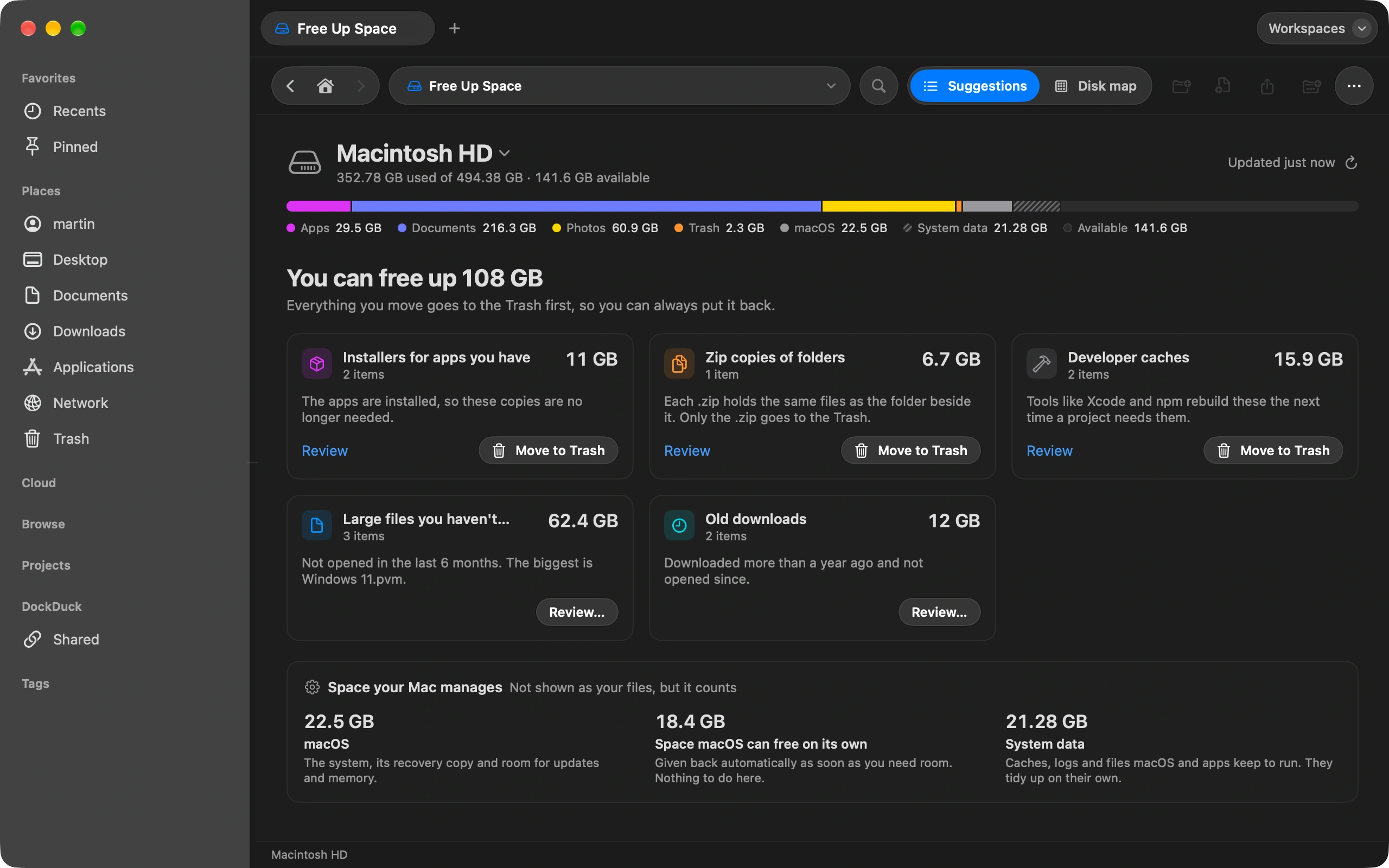
Free Up Space shows what fills your disk and what is safe to remove.
How to move photos from your iPhone to your Mac without iCloud
Plug in your iPhone and import photos straight into any folder you choose.
How to keep your Downloads folder tidy automatically
Sort Downloads once, then let rules keep it that way on their own.