When you send a file as a link, the natural questions are where it goes and who can read it. Here is the whole trip, step by step, in plain words.
Your Mac locks the file
The moment you choose Share Link, DockDuck asks macOS for a new random key, made just for that link, and uses it to lock the file. This happens on your Mac, before anything is sent. The key is saved in the local Keychain of your Mac, not in our database or on our servers. The file name and the preview picture are locked the same way.

Sunset.jpgThe picture on your Mac · 40 KB

encrypted.dockduckWhat leaves your Mac · 40 KB
This is a real picture locked the way Share Link locks it. On the right are its locked bytes drawn as pixels: nothing of the picture is left to see.
Sunset.jpgfirst bytes
FF D8 FF E0 00 10 4A 46 49 46 00 01 01 00 00 01......JFIF......00 01 00 00 FF DB 00 43 00 04 03 03 03 03 02 04.......C........03 03 03 04 04 04 05 06 0A 06 06 05 05 06 0C 08................09 07 0A 0E 0C 0F 0E 0E 0C 0D 0D 0F 11 16 13 0F................
Any computer can tell what this is: the letters JFIF mark a JPEG picture.
encrypted.dockduckfirst bytes
44 44 45 31 22 A9 04 98 19 8F EF 18 A0 9A 68 C0DDE1".........h.E6 13 F5 16 96 EC 03 DE 6E B8 CE 33 E2 A5 3B 0A........n..3..;.42 76 10 E2 1A 62 5D C9 89 D5 B7 A7 DD 35 9E 66Bv...b]......5.fE6 1E 35 FE B2 91 EE 7F CC 6E 4F 49 9E 01 1C 85..5......nOI....
A DDE1 marker, then bytes that look random. They say nothing about what is inside, not even that it is a picture.
Only the locked copy is uploaded
What goes to our servers is the locked copy, which is unreadable without the key. The key itself is never uploaded: it stays in the local Keychain of your Mac. We store what we need to run the link, like when it expires, and nothing that would let us open the file.
- What we store
- The locked copy
- When the link expires
- How many times it was downloaded
- What we never get
- The key: it is not in our database or on our servers
- What is inside the file
- The file’s name

- No file name
- No file type, only bytes
- Unreadable without the key
A capture of our storage for one real link. encrypted.dockduck is the locked file. preview.bin is the small picture the download page shows above the button: your Mac makes it and locks it with the same key, and the other person’s browser unlocks it. On our side both are only bytes.
The link carries the key
A share link has two parts. Before the # is the address of the locked file. After the # is the key. Your Mac writes the key into the link itself, and browsers never send the part after the # to a website, so the key reaches the other person without passing through us. The only other copy stays in the Keychain of the Mac that made the link.
share.dockduck.app/gQf1ezEn-B8#KsPa_okP9Ea0w9woiRwC72z8UgNE6hudb9gwdnCFSaY
Never uploaded. The key is not in our database and not on our servers, so we could not hand it to anyone: we do not have it.
The other person’s browser unlocks it
When someone opens the link, their browser fetches the locked copy from our servers and unlocks it right there, on their device, with the key from the link. They do not need DockDuck or an account. Your Mac can be off.
A password adds a second lock
If you set a password, our servers ask for it before they hand over even the locked copy. Someone who gets hold of the link still needs the password, and someone who knows the password still needs the link.
The link ends on its own
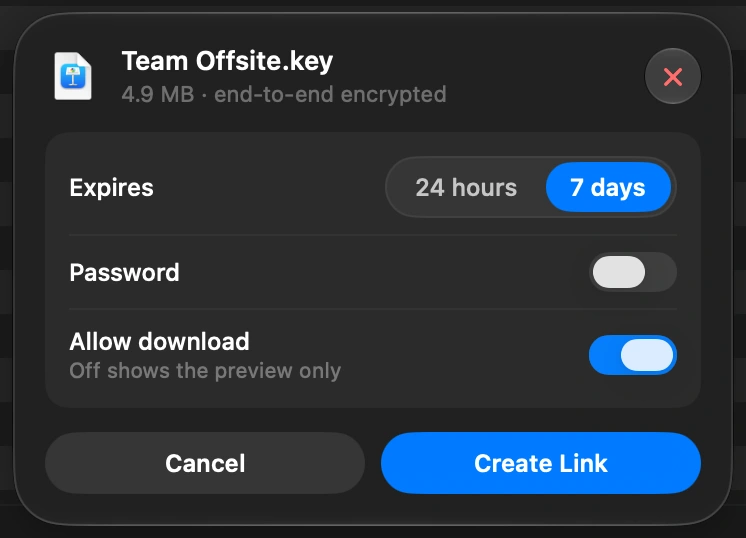
You choose 24 hours or 7 days. After that the link stops working, and by day 7 the locked copy is deleted from our servers. You can also revoke a link at any time from the Shared page, and it stops working at once.
Revoke from the Shared page at any time: the link stops working at once.
Good to know
- We cannot open your files. We hold the locked copy and never the key.
- The key is stored in the local Keychain of the Mac that made the link. It is not in our database and not on our servers.
- Treat the link like the file itself: anyone who has the whole link can open it. Add a password when that matters.
- If the person receiving a link reports it to us, they can choose to include the key so our team can review that one file. That is the only way a key ever reaches us.
- A link holds up to 2 GB. Several files or a folder are zipped on your Mac first, then locked as one.
Finder and DockDuck
Finder cannot make a link. You upload to a cloud service, which can usually read what you store there.
The file is locked on your Mac first. The service in the middle only carries a copy it cannot read.
Questions people ask
- Do I need to keep my Mac on while the link is active?
- No. The locked copy is uploaded once, and after that the link works on its own. You can close DockDuck or shut down your Mac.
- Can DockDuck, or anyone at your company, see my file?
- No. Our servers only receive the locked copy, and the key is never sent to us: it lives in the link and on your Mac. The one exception is a report: a person who already has the link can choose to share the key with our team when they report that file.
- How is the key made, and where is it kept?
- Your Mac makes it: 32 random bytes from the system’s own secure generator, new for every link. It is then in exactly two places. One is the link you send, after the #. The other is the Keychain of the Mac that made the link, which is how the Shared page can show you the full link again. It is not uploaded, so it is not on our servers or in our database.
- If the key is in the link, how does it not reach your servers when someone opens it?
- Because of how web addresses work. Everything after the # stays inside the browser: it is never part of the request a browser sends to a website. The page reads the key from the address bar and unlocks the file on that device. Our servers only see a request for the locked copy.
- What kind of encryption is it?
- AES-256-GCM, with a fresh 256-bit key for every link. The file is locked in pieces of 1 MB, each one sealed so it cannot be changed, reordered or cut short without the browser noticing.
- What happens if the link gets forwarded to someone else?
- Whoever has the whole link can open the file, the same as if you had sent them the file. A password helps, because the link alone is then not enough. You can also revoke the link, and it stops working for everyone at once.
- I lost the link. Can I get it back?
- Yes, on the Mac that made it. The key is kept on that Mac, so the Shared page can show the full link again, with its QR code. We could not send it to you, because we never had the key.
Try DockDuck on your Mac
Download for MacFree 14-day trial. No account and no card required.
Sending links needs a DockDuck license. The free trial does not include it. See pricing
Keep reading
All guidesHow to send a large file from your Mac
Select the file in DockDuck and choose Share Link. You get a link to send to anyone, and they open it in any browser.
How to see what is taking up space on your Mac
Free Up Space shows what fills your disk and what is safe to remove.
How to move photos from your iPhone to your Mac without iCloud
Plug in your iPhone and import photos straight into any folder you choose.