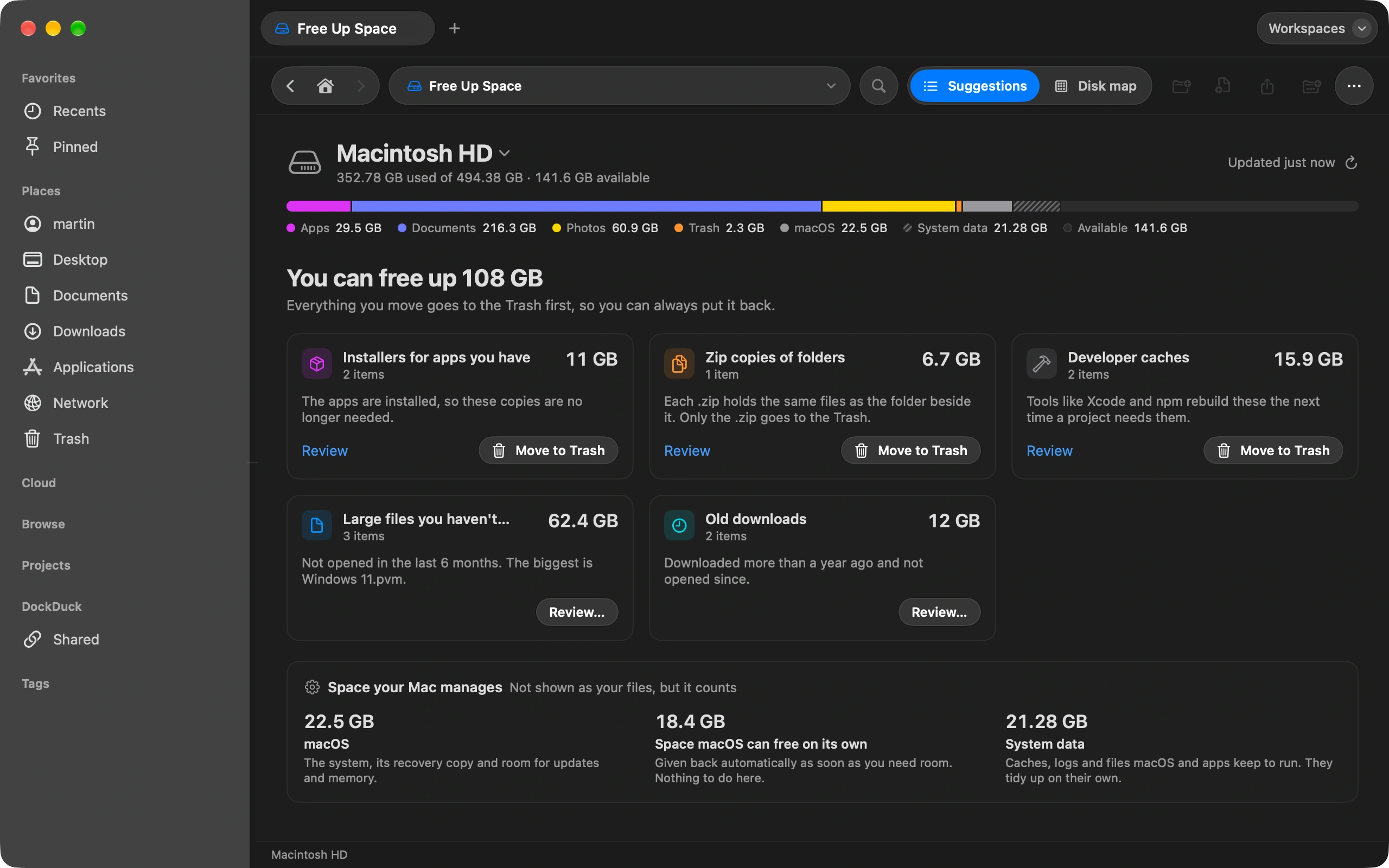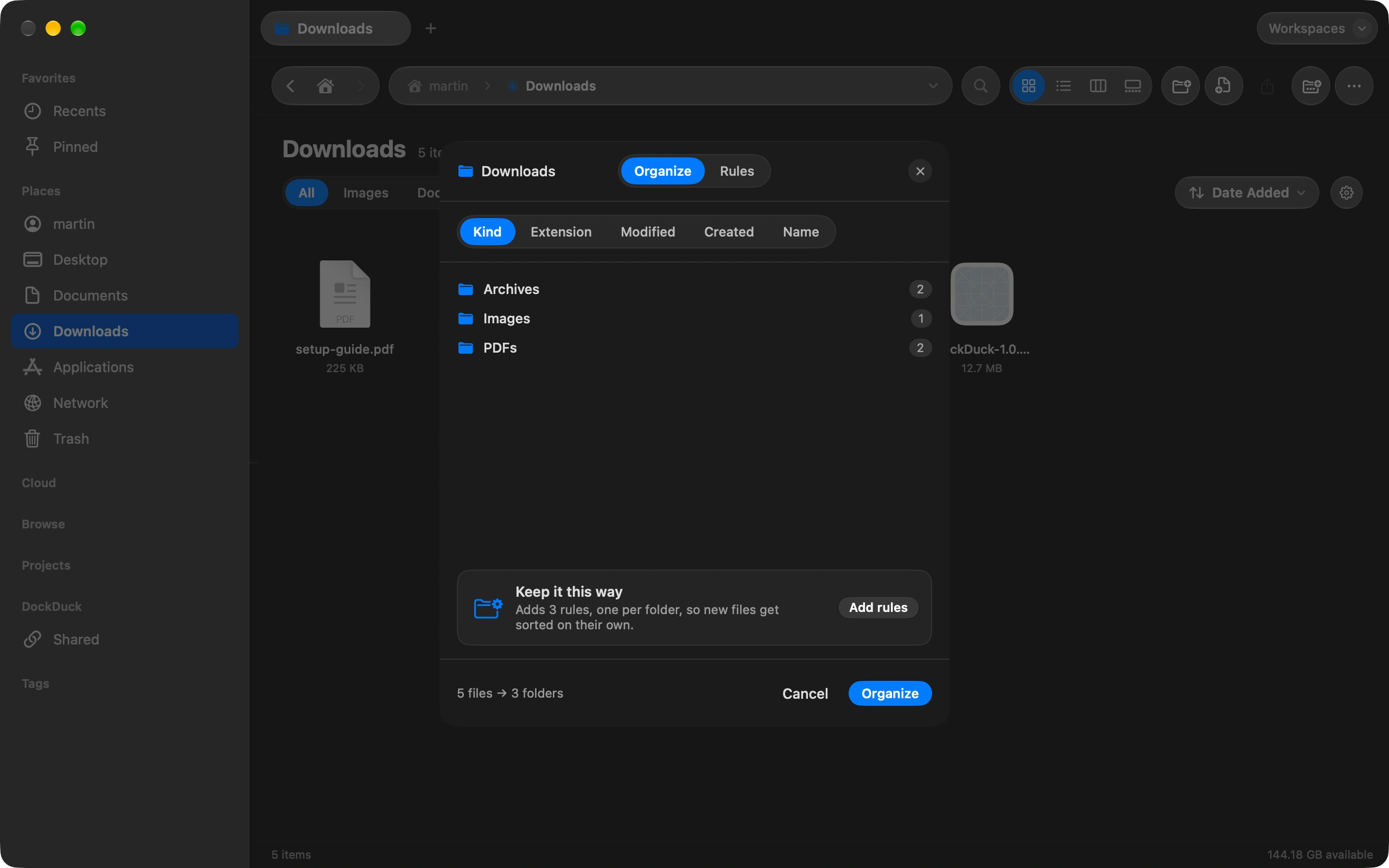
Downloads collects everything. Organize sorts it in one pass, and rules keep it sorted without you.
Open Downloads and choose Organize
It is in the toolbar, and behind the gear next to the sort pill.
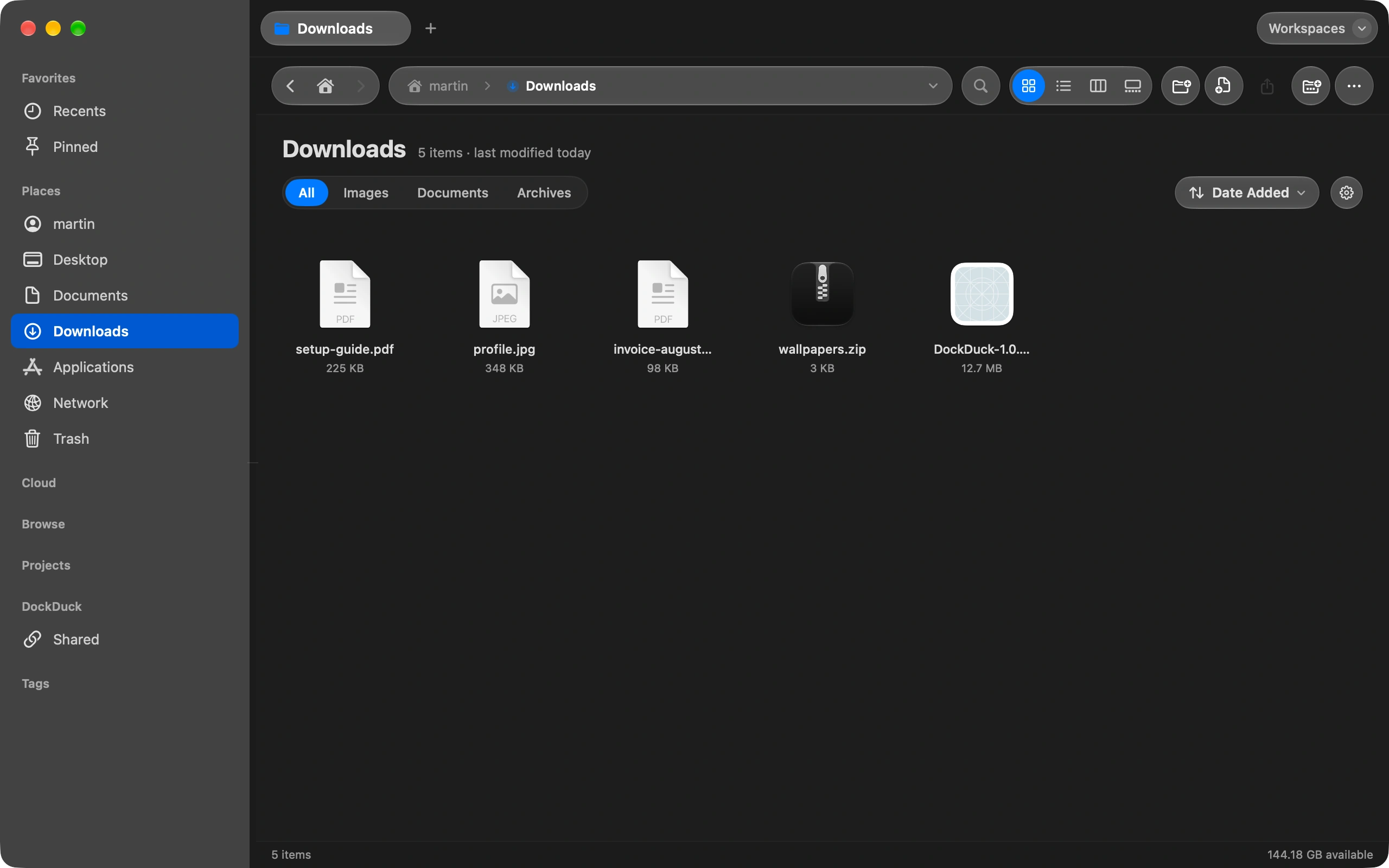
Sort it once
Now sorts what is there by kind or by date, into folders like Images, PDFs and Archives. You see a preview of what will move before anything moves, and one Undo reverses the whole pass.
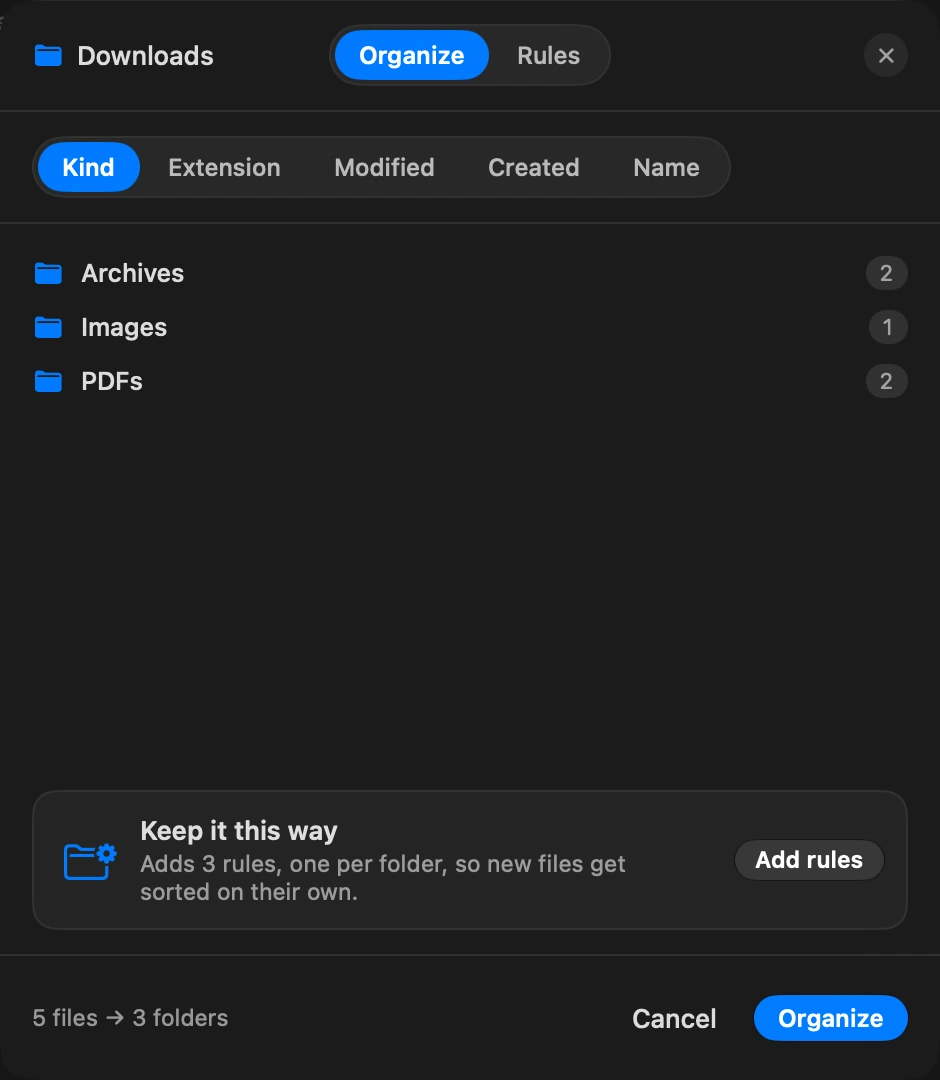
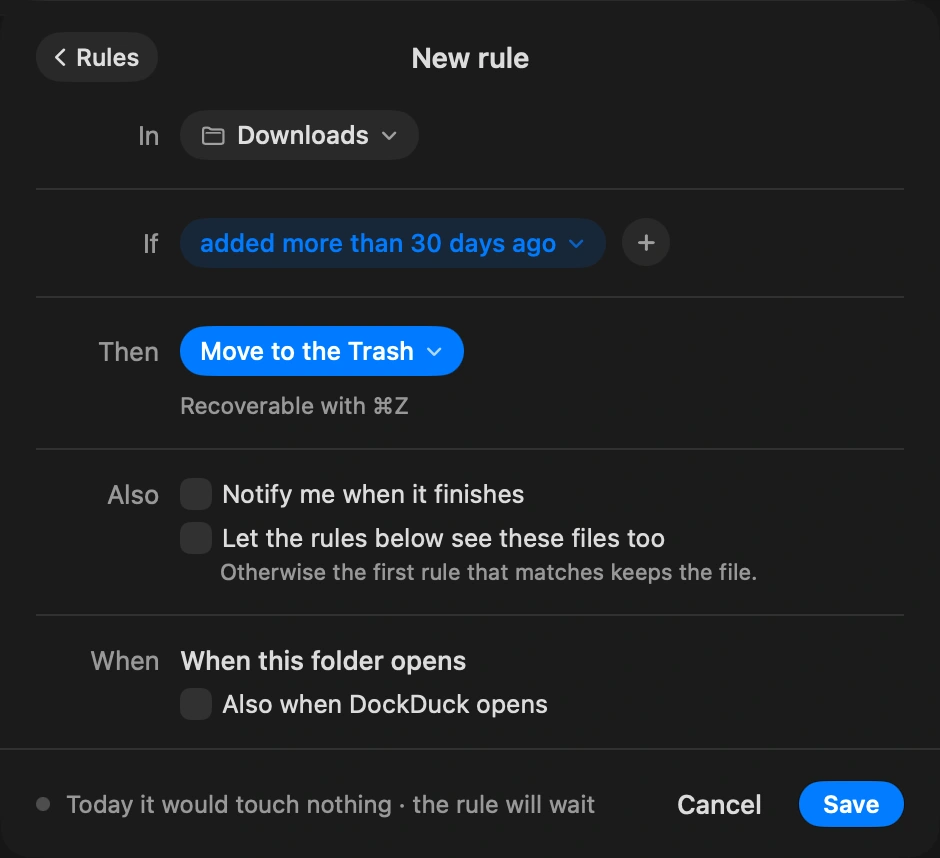
Make it a rule
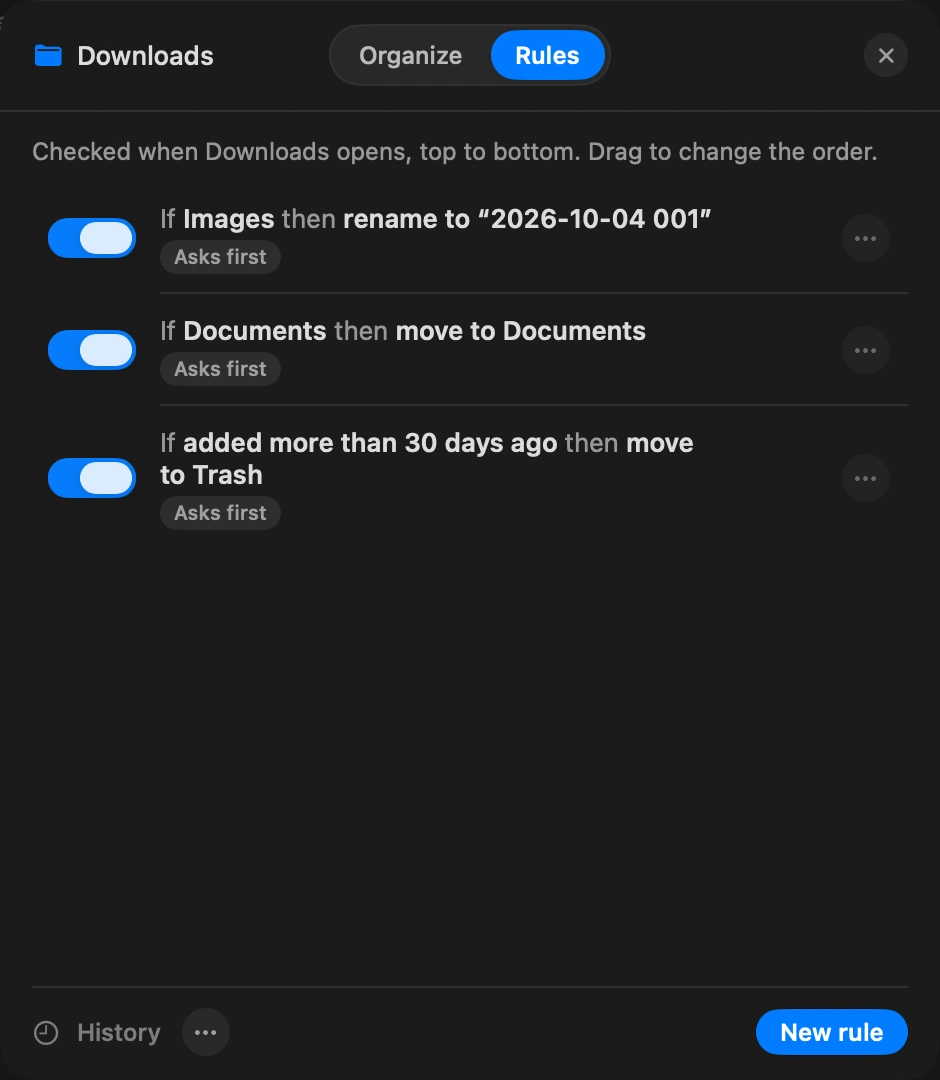
Always holds the folder’s rules, something like “images older than 30 days go to Archive” or “installers go to the Trash after a week”. DockDuck applies them when the folder changes and when you open the app.
Let it run
Each rule shows how many files it would take today. Pause one while you decide, and undo the last pass as long as you have not moved things by hand since.
Good to know
- If you just tidied a folder by hand, Keep it this way turns what you did into rules.
- Rules never run on cloud or server folders.
- A rule that suddenly matches far more files than usual stops and asks, even one you set to run without asking.
Finder and DockDuck
Smart folders can show files. Nothing moves them.
Rules move, tag, compress or trash files on their own, with a preview first.
Questions people ask
- Will a rule move a file I am still downloading?
- No. DockDuck waits until a download is complete before a rule looks at it, so a half-finished file never ends up in the wrong folder.
- Can rules do more than move files?
- Yes. A rule can rename with date and counter tokens, add a tag, compress, open the file with an app, copy it to another folder, make an alias, or import it to Photos or Music. Rules can also hand a file to the next rule, so several work on one file in order.
- What if a rule does something I did not expect?
- Each rule keeps a history of its passes, and the last pass can be undone as long as you have not moved things by hand since. You can also pause a rule while you decide, and it keeps its place in the list.

Try DockDuck on your Mac
Download for MacFree 14-day trial. No account and no card required.
Keep reading
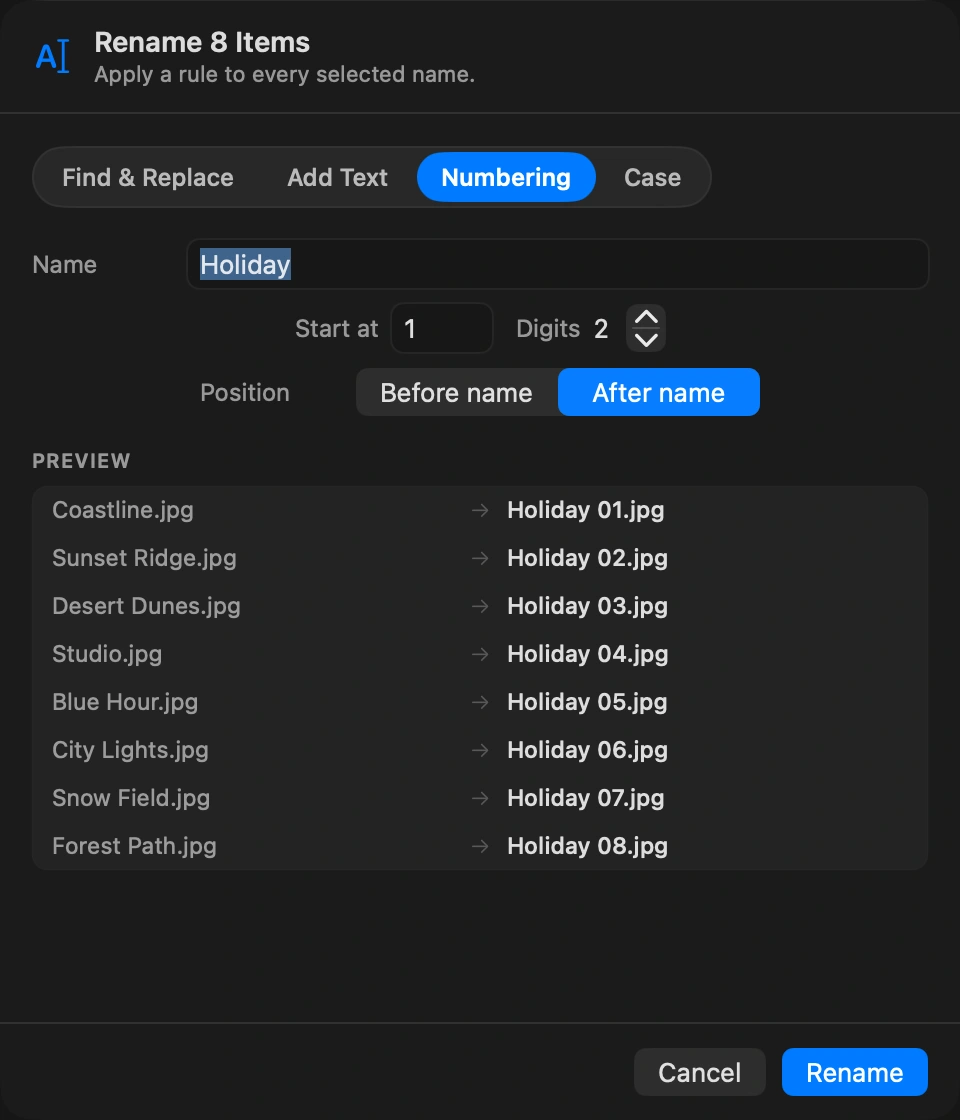
All guidesHow to rename many files at once
Select the files, choose Rename, and set one pattern for all of them.
How to send a large file from your Mac
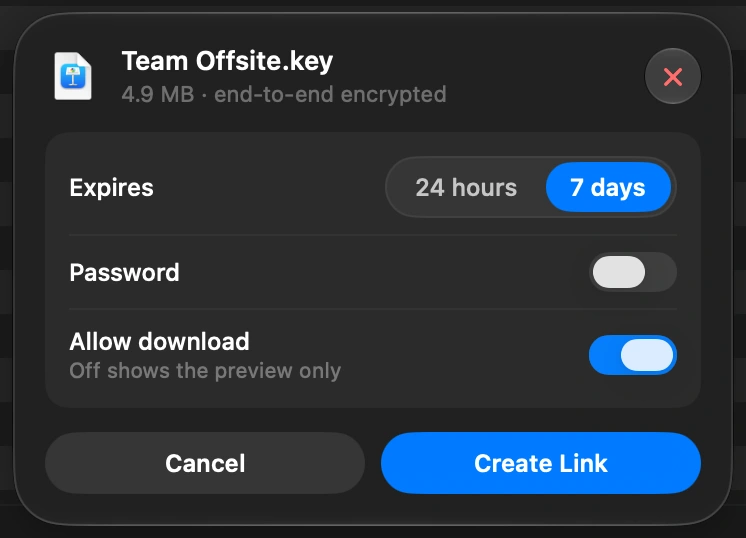
Select the file in DockDuck and choose Share Link. You get a link to send to anyone, and they open it in any browser.
How to see what is taking up space on your Mac
Free Up Space shows what fills your disk and what is safe to remove.